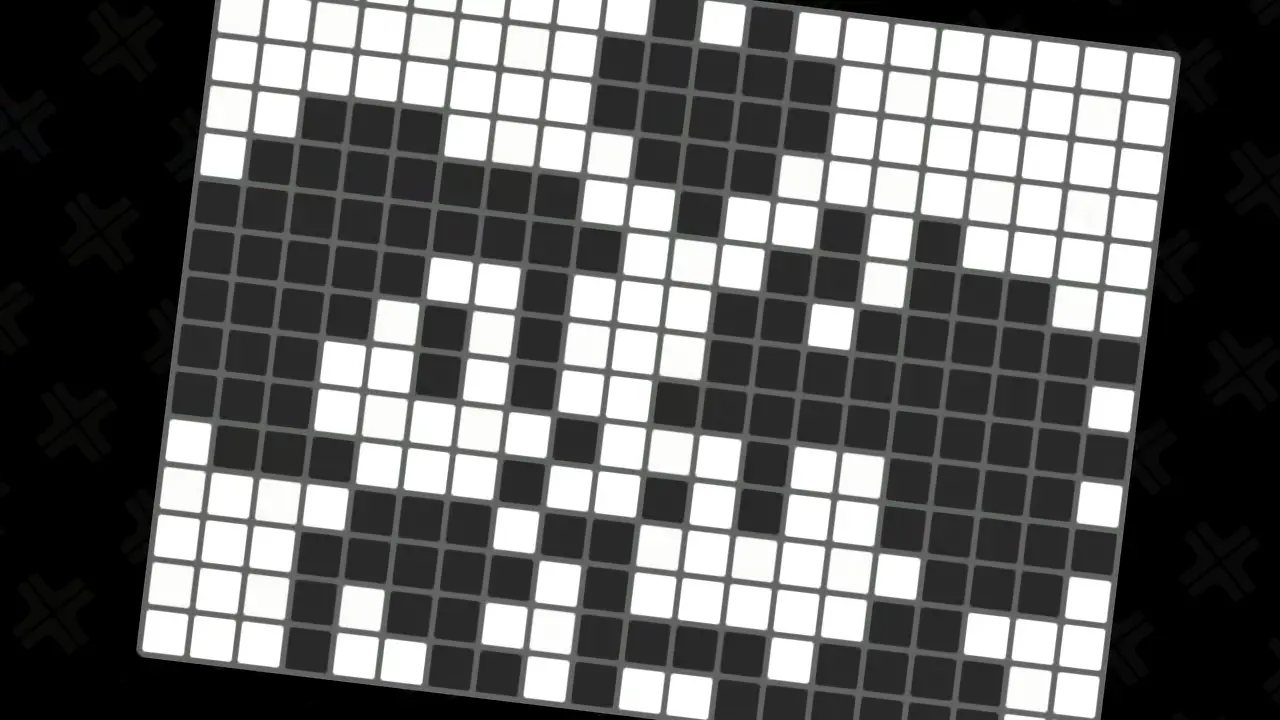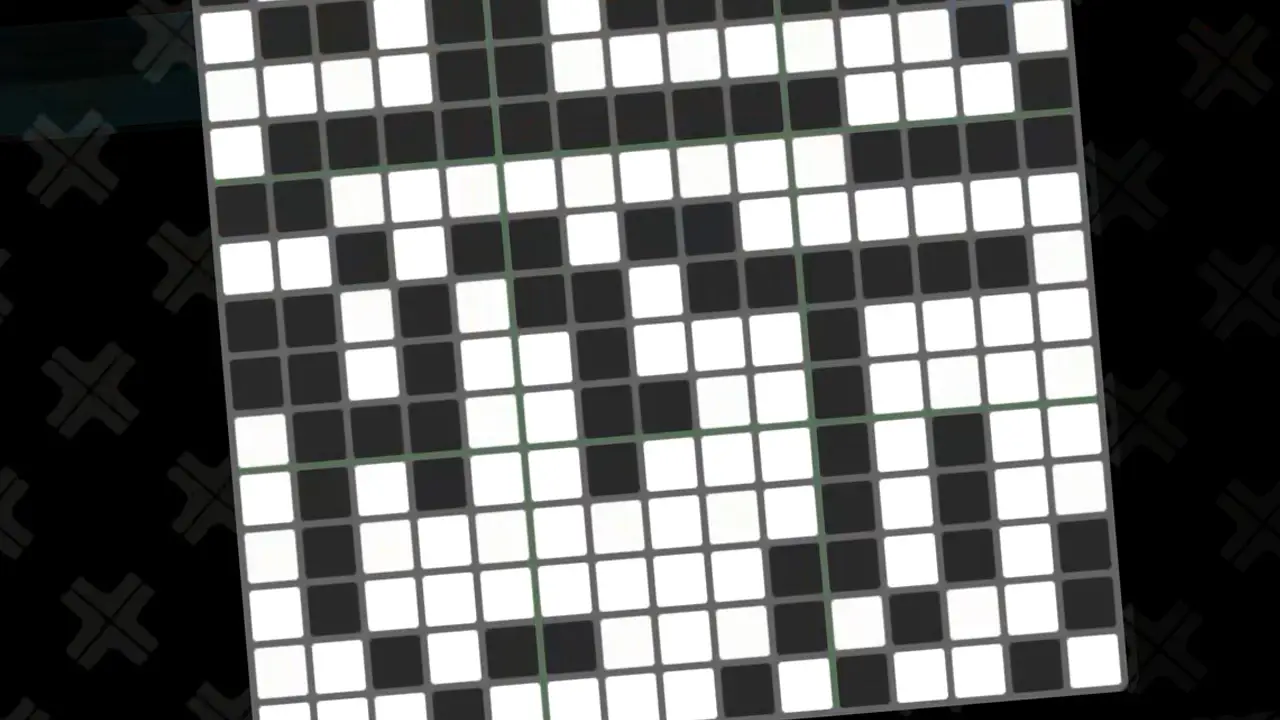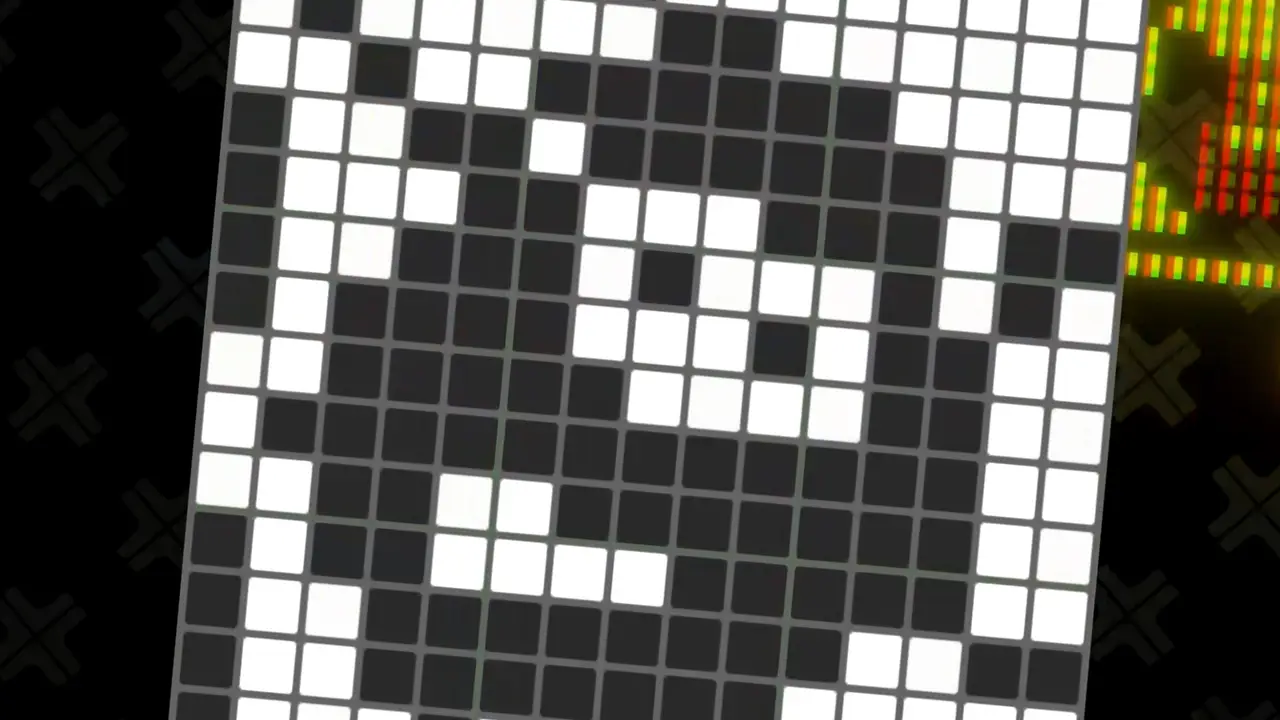
Use this guide to view puzzle solutions for Picross S Namco Legendary Edition Picross mode’s ninth page of puzzles.
Overall, Picross S Namco Legendary Edition’s Picross mode’s ninth set of fifteen puzzles (P121-P135) are moderately difficult to complete compared to the rest of the game’s puzzles. This is due to the ninth page of fifteen puzzles being larger in size, using 15×15 grids.
Feel free to use the solutions in this guide if you are stuck, want faster completion times, or you simply want to avoid using the in-game assists to help you.
Then, view the next set of puzzle solutions, the previous set of puzzle solutions, or view all guides with TendoSource’s official Picross S Namco Legendary Edition walkthrough page.
Now, enjoy using this Picross S Namco Legendary Edition (Nintendo Switch) walkthrough picture guide!
Support TendoSource by viewing best selling Nintendo Switch games you may have missed and the most popular Nintendo Switch accessories on Amazon by using my affiliate links. This helps the site keep running, so thank you!
NOTE: We participate in affiliate programs (including Amazon Services LLC Associates Program) designed to provide a means for us to earn fees by linking affiliated sites at no extra cost.
Picross S Namco Legendary Edition: Picross Mode Nintendo Switch Puzzle Solutions
I included a table of contents for the puzzle solutions in this guide to best help you.
Click on the navigation links to quickly jump to your desired Picross puzzle solution:
1) Puzzle P121 Solution
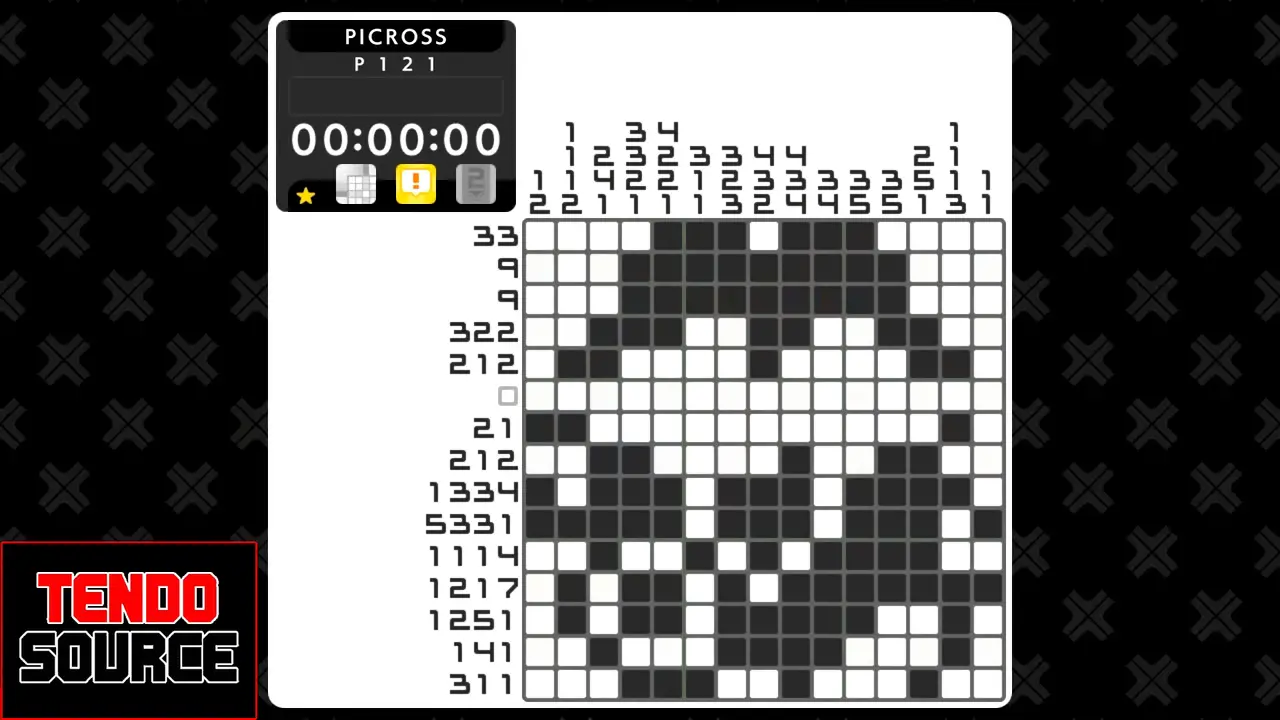
Grid Size: 15×15
Start by filling in the rows and columns marked with “5/3/3/1” and “1/2/1/7”.
2) Puzzle P122 Solution

Grid Size: 15×15
Start by filling in the rows and columns marked with “1/3/1/3/1/1” and “1/2/7”.
3) Puzzle P123 Solution

Grid Size: 15×15
Start by filling in the rows and columns marked with “11/3”, “10/3”, and “7/2/3”.
4) Puzzle P124 Solution
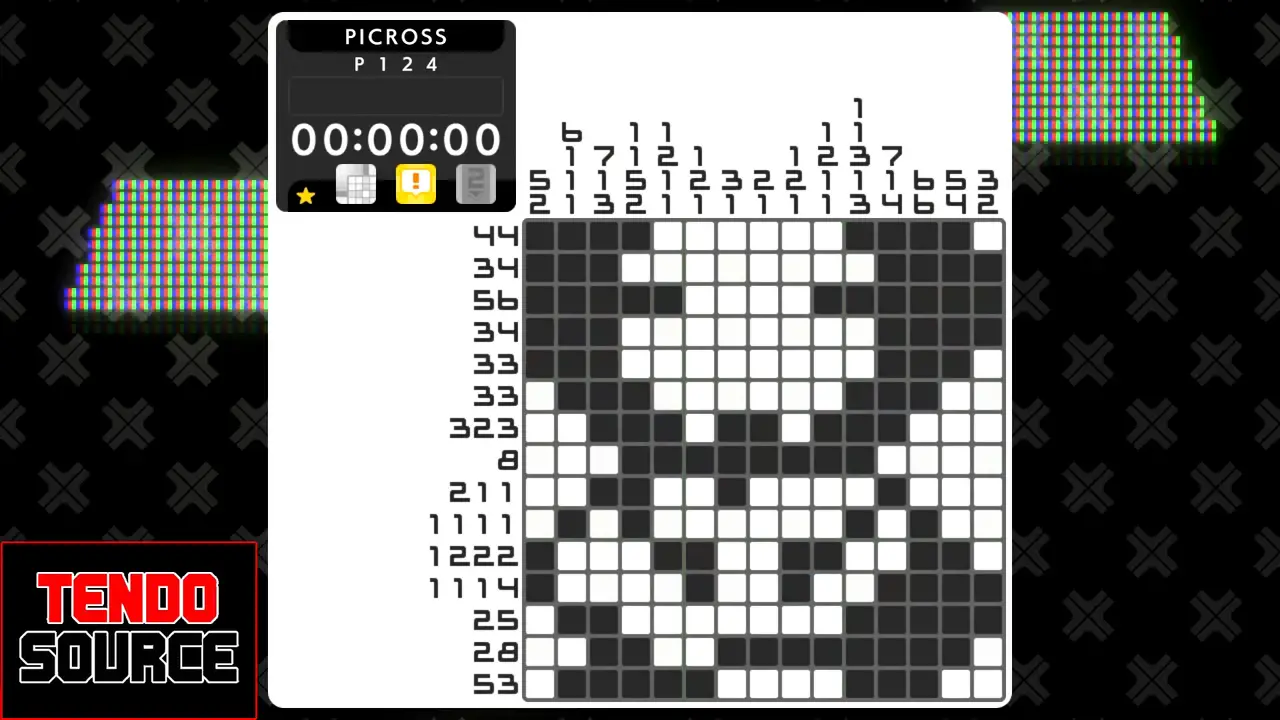
Grid Size: 15×15
Start by filling in the rows and columns marked with “7/1/4”, “2/8”, and “6/6”.
5) Puzzle P125 Solution

Grid Size: 15×15
Start by filling in the rows and columns marked with “13”, “1/2/6/1”, and “1/8/1”.
6) Puzzle P126 Solution

Grid Size: 15×15
Start by filling in the rows and columns marked with “11”, “10/2”, and “2/1/8”.
7) Puzzle P127 Solution

Grid Size: 15×15
Start by filling in the rows and columns marked with “3/11” and “3/9”.
8) Puzzle P128 Solution
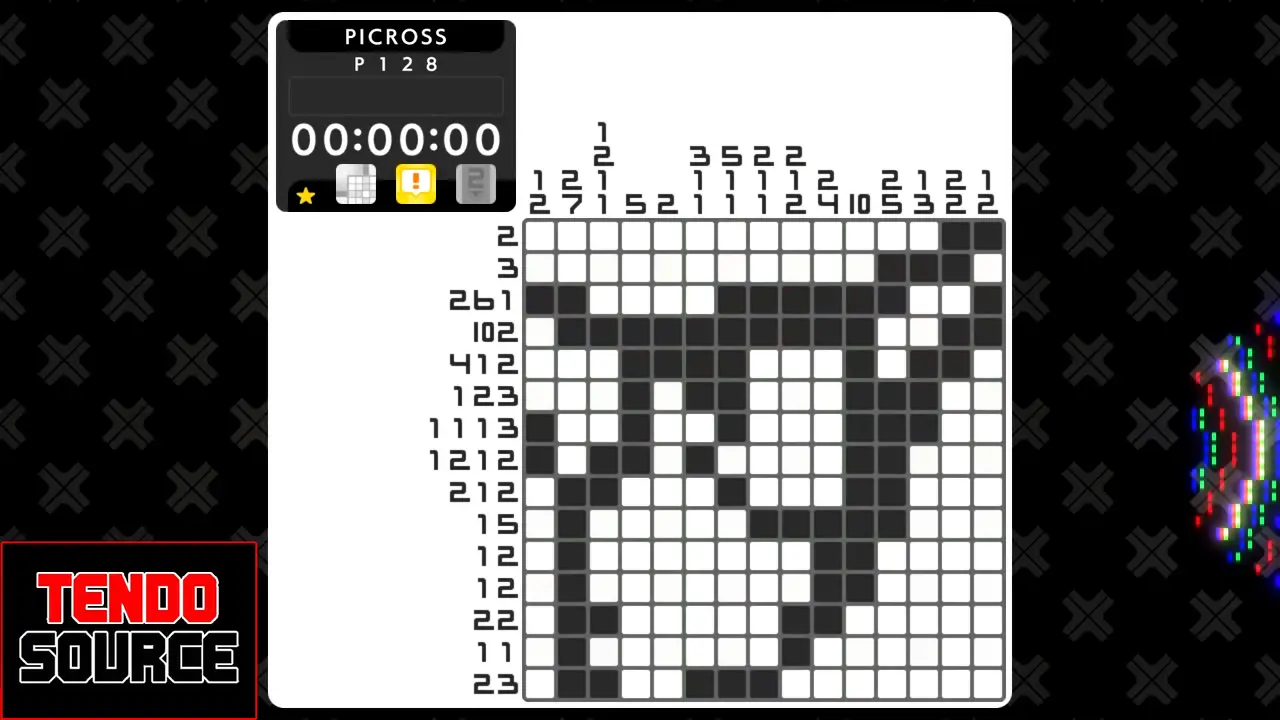
Grid Size: 15×15
Start by filling in the rows and columns marked with “10/2” and “10”.
9) Puzzle P129 Solution
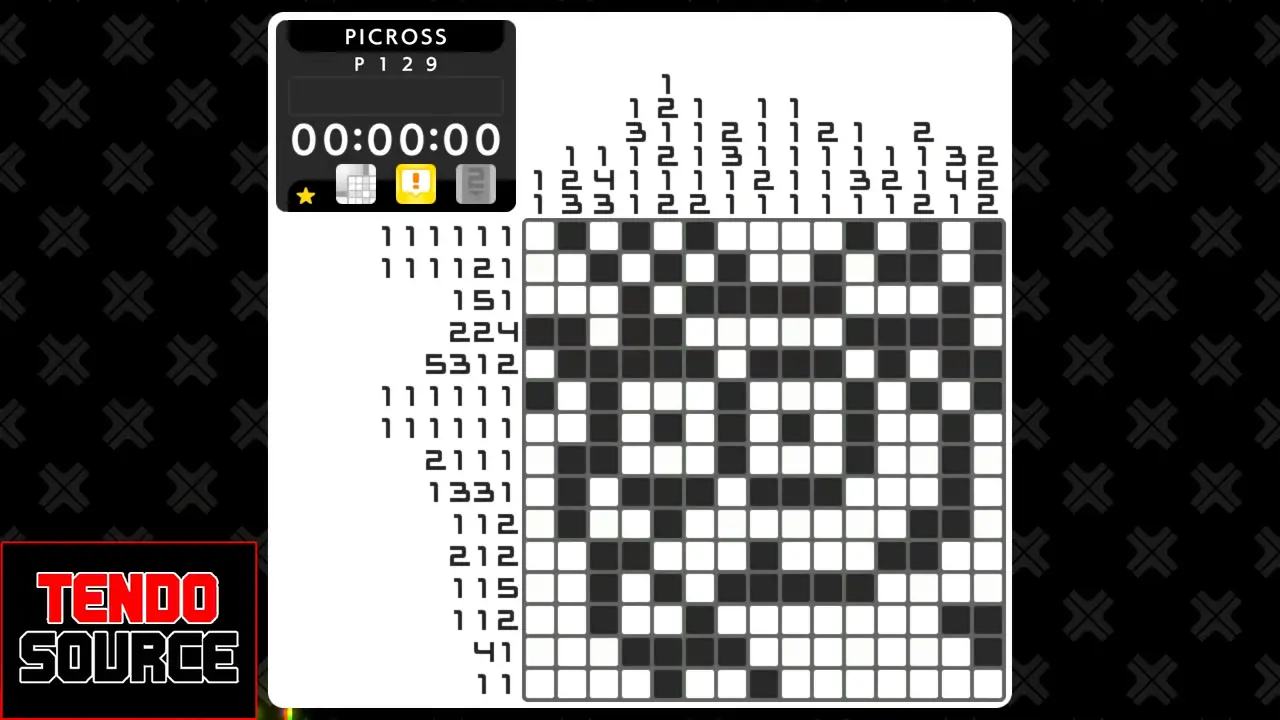
Grid Size: 15×15
Start by filling in the rows and columns marked with “5/3/1/2” and “1/2/1/2/1/2”.
10) Puzzle P130 Solution

Grid Size: 15×15
Start by filling in the rows and columns marked with “1/2/4/2/2” and “6/1/2”.
11) Puzzle P131 Solution

Grid Size: 15×15
Start by filling in the rows and columns marked with “10/1” and “2/2/7”.
12) Puzzle P132 Solution

Grid Size: 15×15
Start by filling in the rows and columns marked with “1/3/4/3”, “2/2/1/1/3/1”, and “2/2/1/1/3/1”.
13) Puzzle P133 Solution

Grid Size: 15×15
Start by filling in the rows and columns marked with “7/5” and “9”.
14) Puzzle P134 Solution

Grid Size: 15×15
Start by filling in the rows and columns marked with “1/1/1/2/4” and “9”.
15) Puzzle P135 Solution

Grid Size: 15×15
Start by filling in the rows and columns marked with “11/1, “1/1/1/3”, and “1/5/5”.
View All Picross S Namco Legendary Edition Puzzle Solution Guides
View solutions for the rest of Picross S Namco Legendary Edition’s Picross mode by visiting TendoSource’s official Picross S Namco Legendary Edition Walkthrough page.
Featured Image: Picross S Namco Legendary Edition | Image: Jupiter/TendoSource
VIEW MORE GUIDES
< Previous
NAME OF ARTICLE
Next >
NAME OF ARTICLE