Thanks for reading this Super Smash Bros. Ultimate guide on TendoSource!
Today, I’m going to help you learn how to access Home-Run Contest in Super Smash Bros. Ultimate.
Accessing the Home-Run Contest mode in Super Smash Bros. Ultimate only requires a few simple steps: navigate to the home screen, access the Games & More menu, select Home-Run Contest option, then choose the number of players and character(s) to start playing.
Benefit Of Accessing Super Smash Bros. Ultimate’s Home-Run Contest Mode
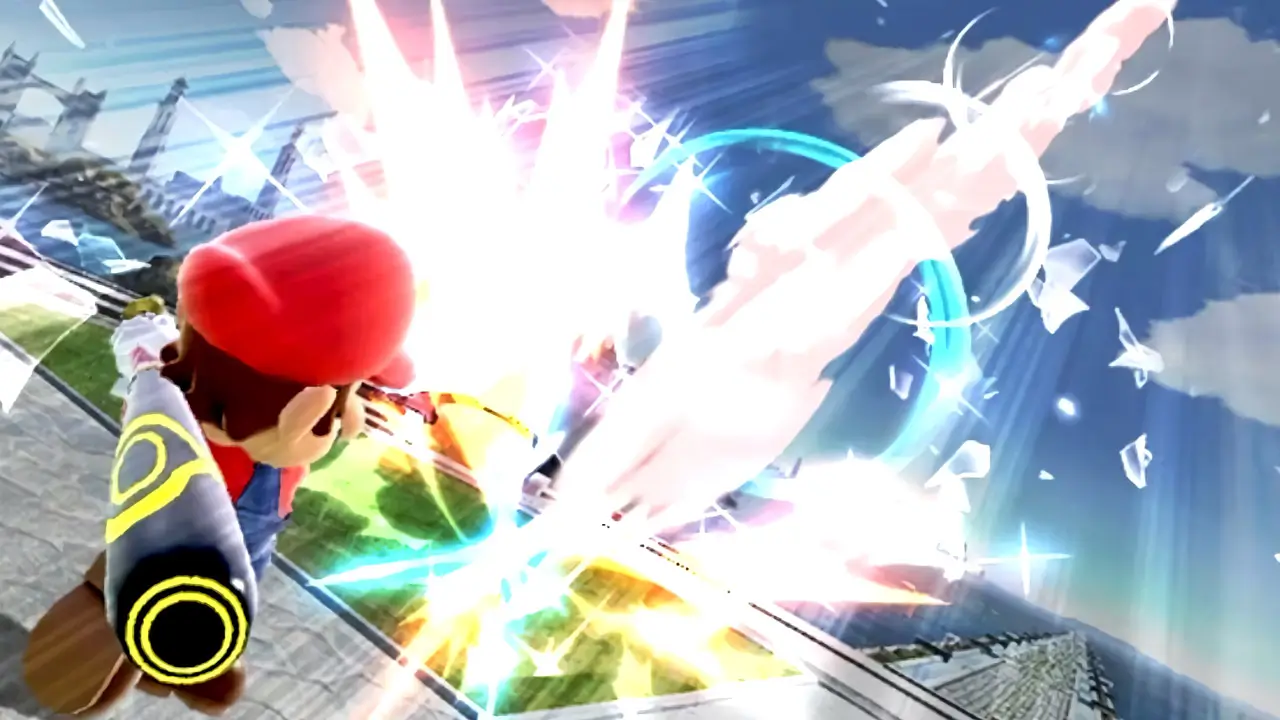
Accessing the Home-Run Contest mode in Super Smash Bros. Ultimate is a fun side-mode within the main game.
The gameplay focuses on getting a high score.
Furthermore, high scores are based upon hitting a sandbag with a baseball bat as hard as one can to make the sandbag soar as far as possible.
The Home-Run Contest mode is a fan-favorite game mode first introduced in 2001’s Super Smash Bros. Melee on Nintendo GameCube.
Super Smash Bros. Ultimate’s Home-Run Contest can be accessed at any time.
Now, continue reading for a detailed picture guide of how to access Home-Run Contest in Super Smash Bros. Ultimate!
NOTE: TendoSource is supported by readers like you. We participate in affiliate programs (including Amazon Services LLC Associates Program) designed to provide a means for us to earn fees by linking affiliated sites at no extra cost to you. This allows us to continue creating quality guides while keeping the site running.
How To Access Home-Run Contest In Super Smash Bros. Ultimate (Nintendo Switch)
Super Smash Bros. Ultimate’s Home-Run Contest allows players to improve their attack skills and learn better positioning by smacking a sandbag with a baseball bat.
You only have 10-seconds to deal as much damage as possible to the sandbag. This time limit encourages attack experimentation to figure out which attacks deal the most damage.
Launching the sandbag as far as possible within the time limit, with a single baseball strike, requires proper character placement.
Hit the sandbag to get a score or miss the sandbag and have to try again.
It’s a fun, challenging, and exhilarating 10-second game mode.
Accessing Home-Run Contest only takes a few moments and is rather easy to accomplish once you know what you’re doing.
Important things to note about this Super Smash Bros. Ultimate mode:
- a character is selected before beginning
- high scores are based on the distance the sandbag was hit
- high scores are saved for each character
- a combined total of all high scores of all characters is saved
- a player has 10-seconds to deal damage and hit the sandbag
- Home-Run Contest can be played repeatedly
*Button prompts used in this guide are default settings
*This guide is based on using a Nintendo Switch Joy-Con Pair/Nintendo Switch Pro Controller
BEFORE YOU BEGIN
Make sure your Nintendo Switch and controller batteries are charged. This will prevent your controller or console from shutting off.
WHAT YOU’LL NEED
- Super Smash Bros. Ultimate
- a Nintendo Switch
- a controller
DIFFICULTY
- low
TIME REQUIRED
- low
1) Access Super Smash Bros. Ultimate’s Main Menu
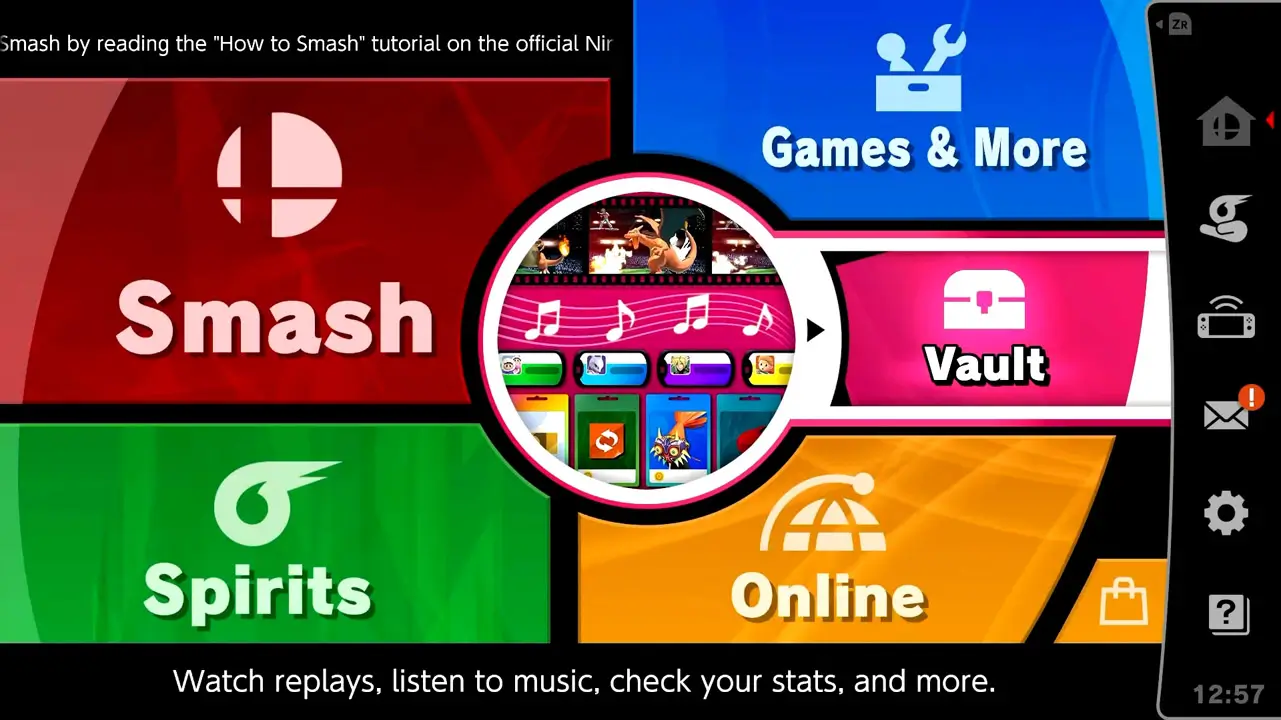
Load Super Smash Bros. Ultimate’s main menu by simply starting the game.
2) Navigate To “Games & More” Option From Menu
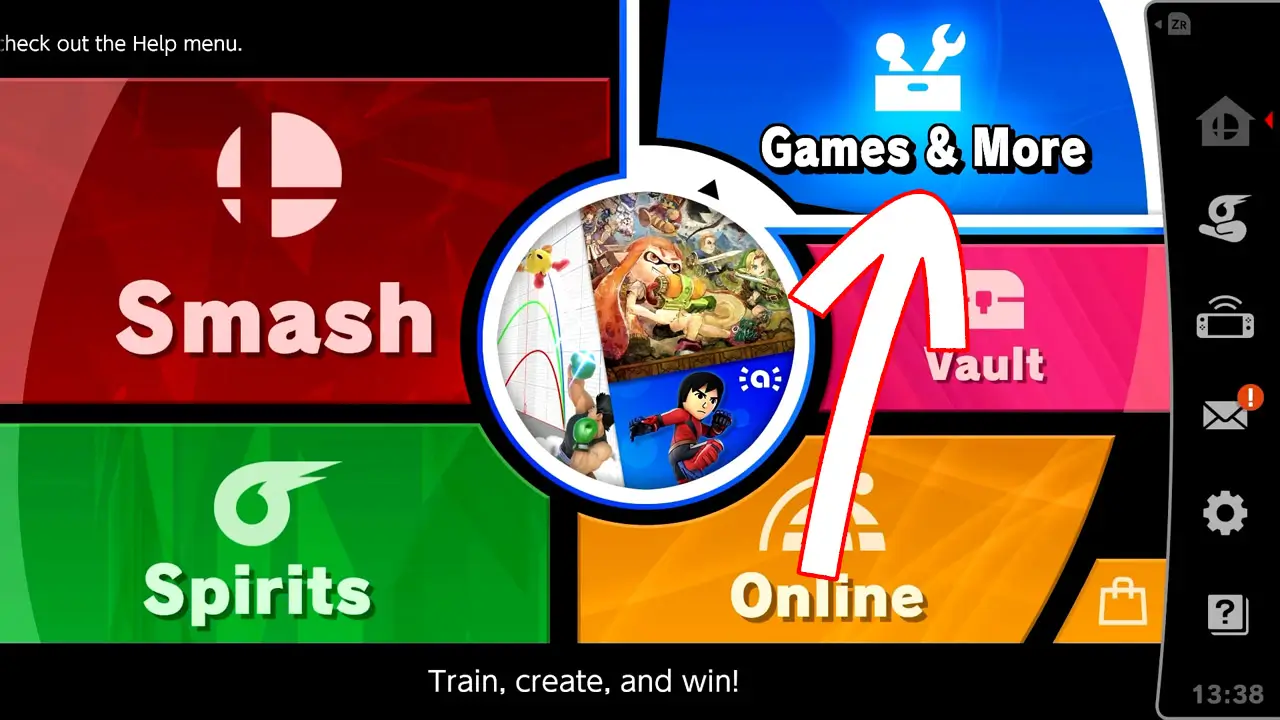
Navigate to Games & More with the (left) analog stick or directional buttons.
Press the confirm button (A button by default) to be taken to the Games & More menu.
3) Select “Home-Run Contest” From The Choices On-Screen
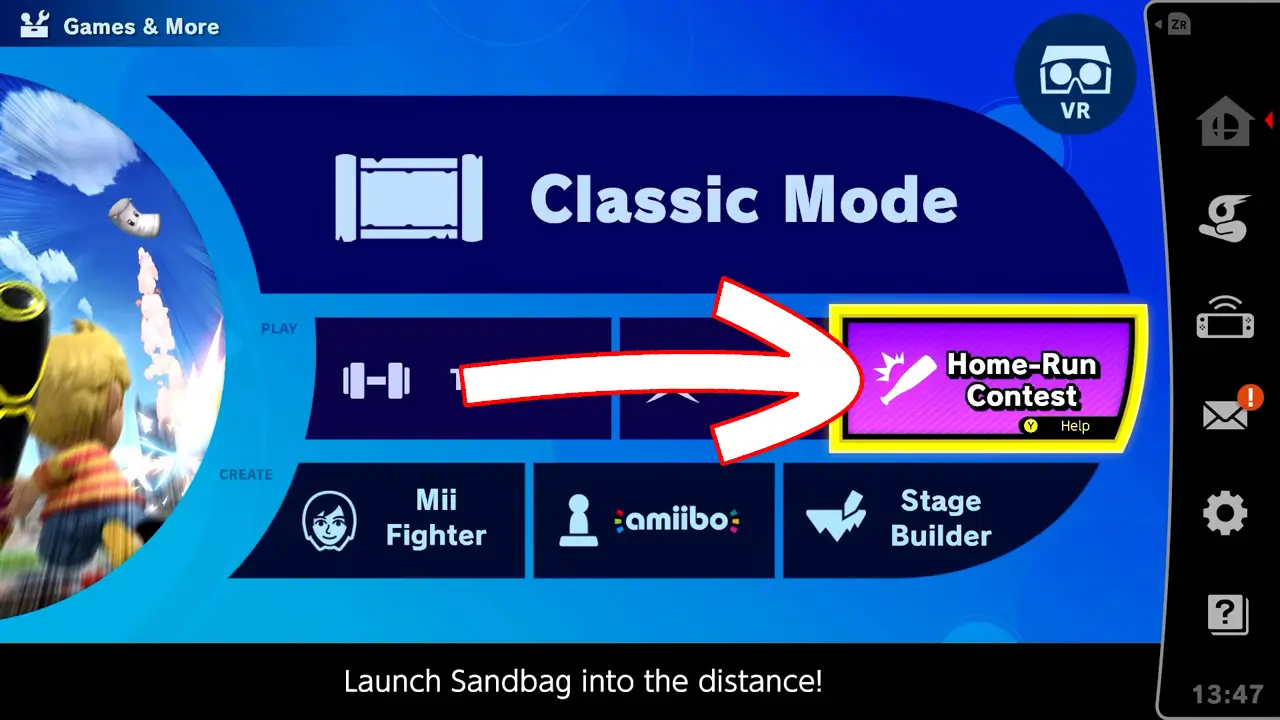
Highlight Home-Run Contest with the (left) analog stick or directional buttons.
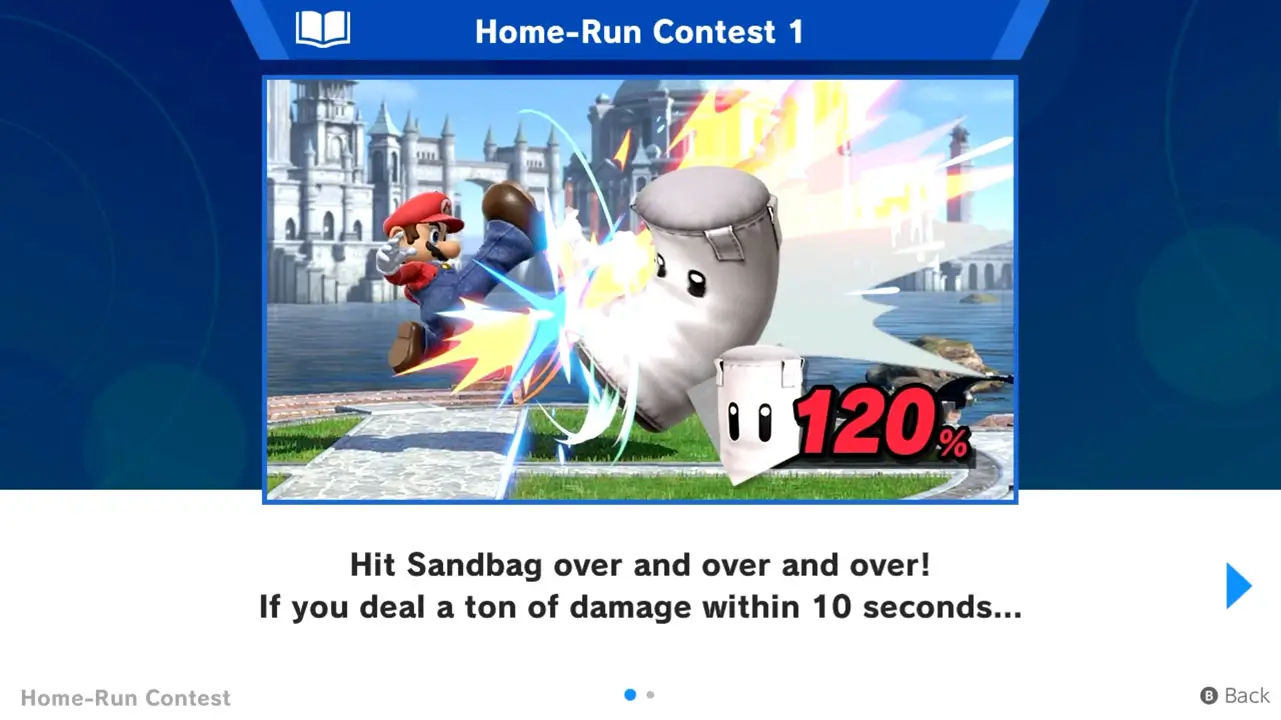
To access the Help screen, Press the Y button. The Help screen provides helpful information about Home-Run Contest you may want to read before playing.
Press the confirm button to be taken to the game mode selection screen.
4) Select A Game Mode From The List
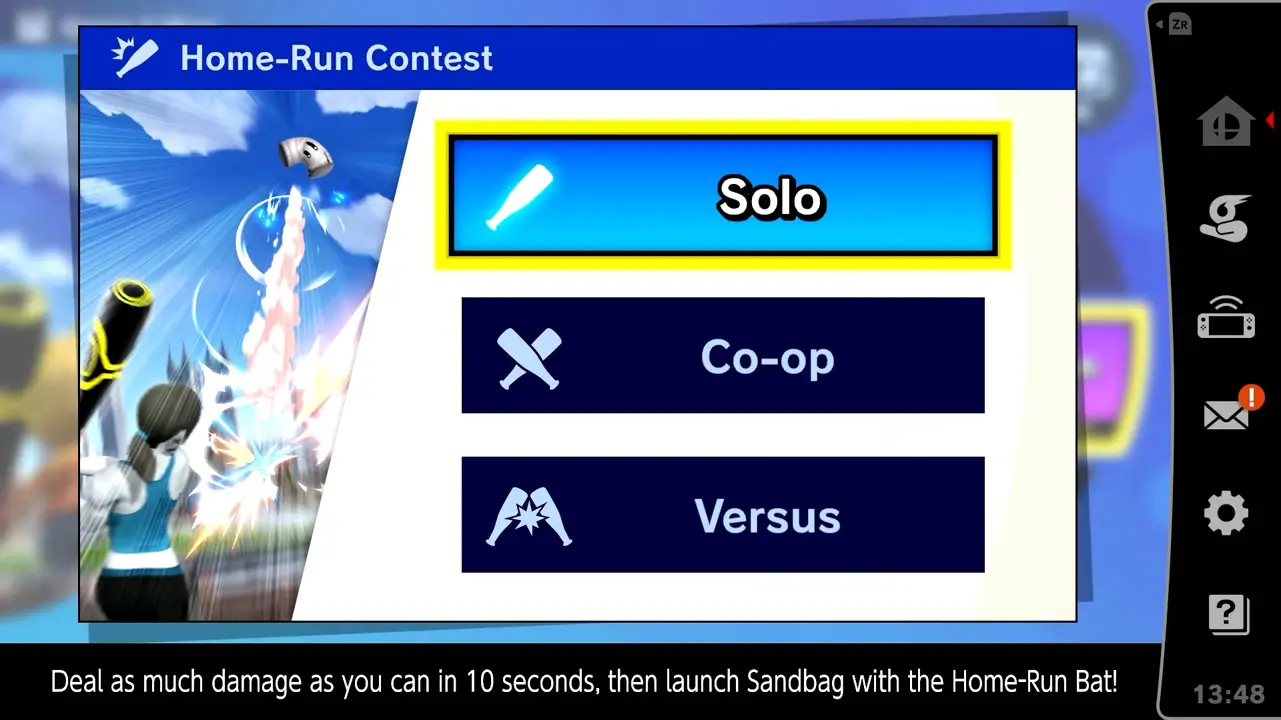
Use the directional buttons or (left) analog stick to highlight a game mode.
In total, Home Run-Contest has three game modes:
- Solo
- Co-op
- Versus
Solo is for a single player to “deal as much damage as you can in 10 seconds, then launch Sandbag with a Home-Run Bat”.
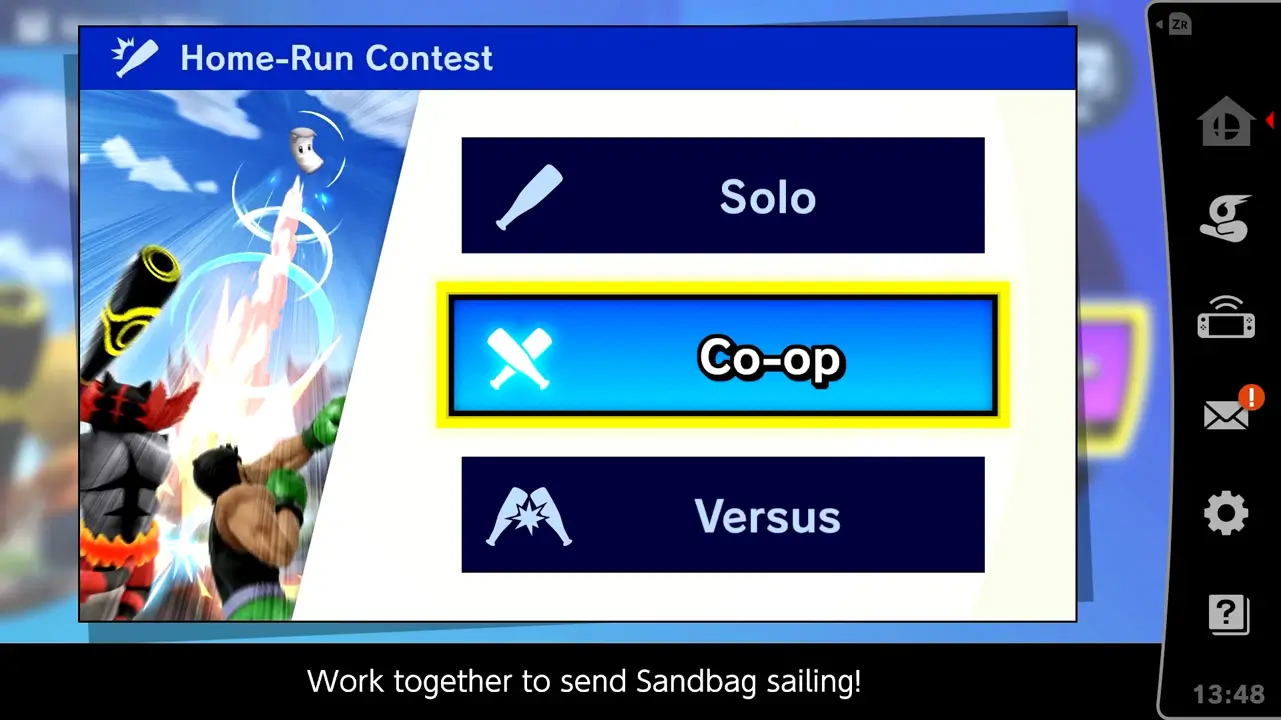
Co-op (cooperative) is for two players to “work together to send Sandbag flying”.
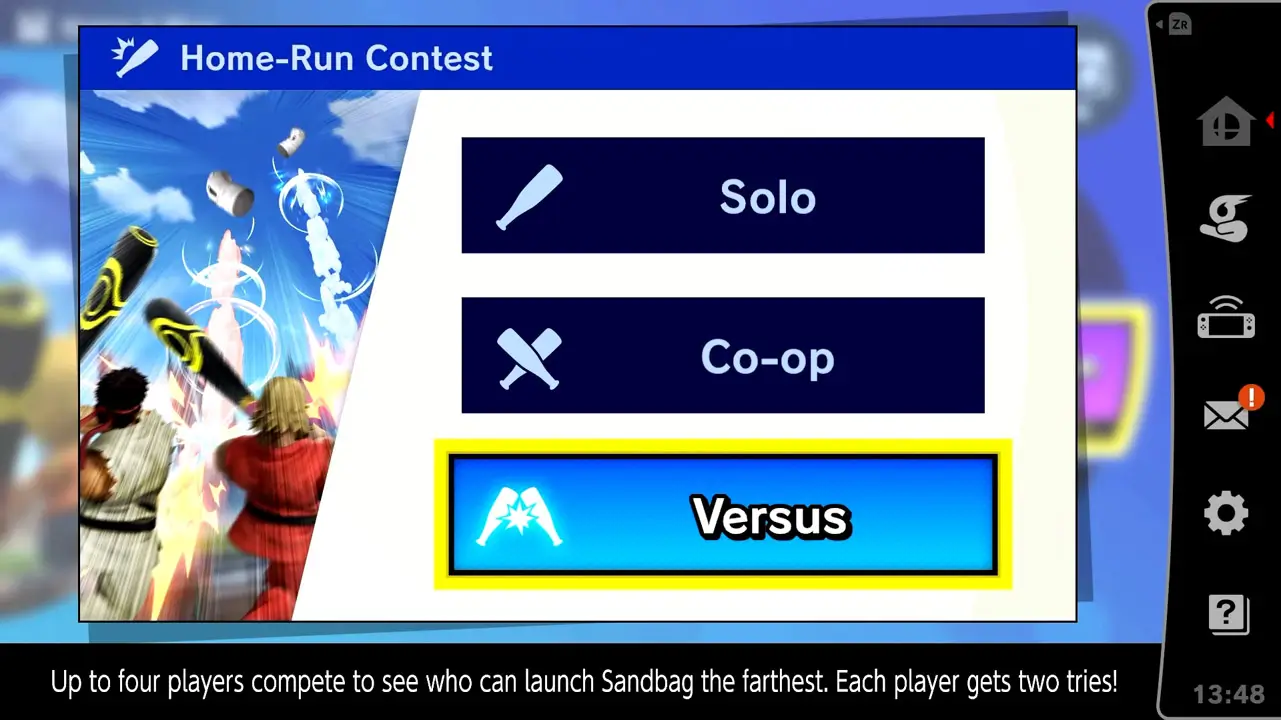
Versus allows up to 4 players to “compete to see who can launch Sandbag the farthest. Each player gets two tries”.
Press the confirm button to select a game mode and be taken to the character selection screen.
5) Select A Character
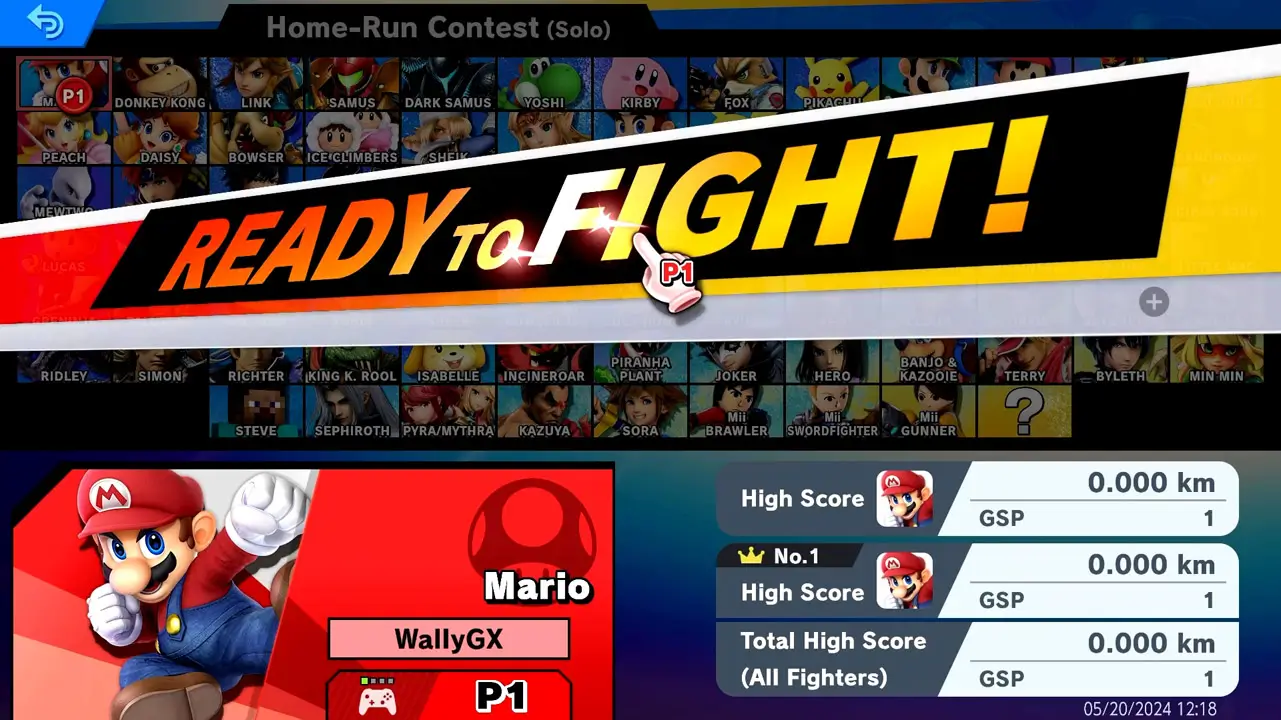
Use the directional buttons or (left) analog stick to highlight a character from the roster.
Your high score for the selected character, your best high score, and total score of all fighters will also appear on-screen.
Press the confirm button twice to select your character and start playing the Home-Run Contest mode.
6) Play Home-Run Contest Mode
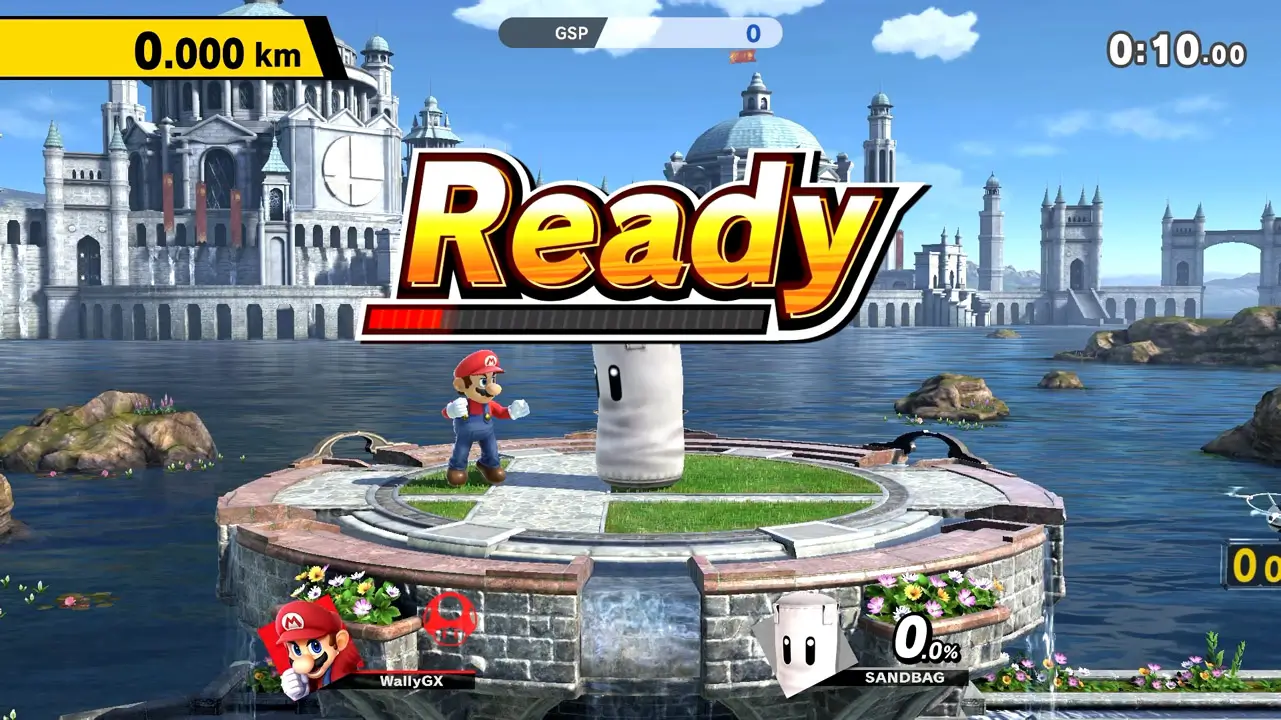
Enjoy playing Super Smash Bros. Ultimate’s Home-Run Contest mode with your selected character.
You’ll have 10-seconds to deal damage–the more damage Sandbag has, the farther it will soar when struck.
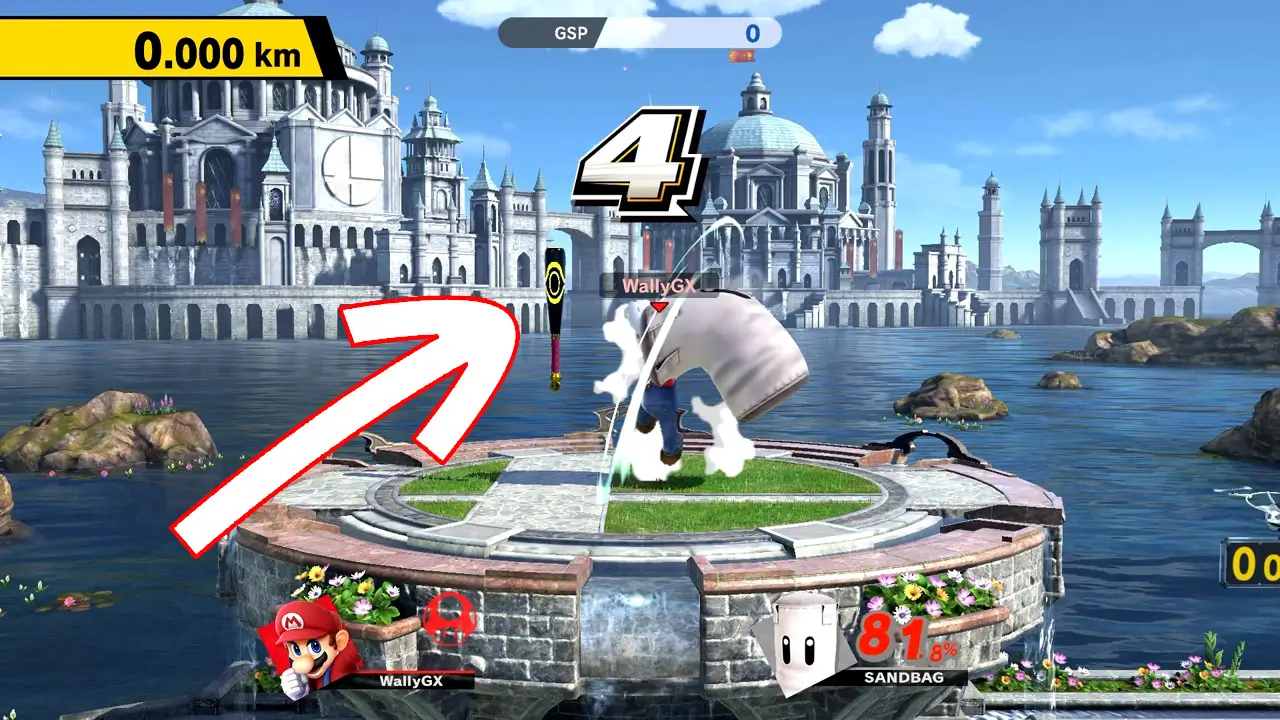
A baseball bat will appear from the air at about 4-seconds left.
Pick it up and hit the bag before time runs out to get a score.
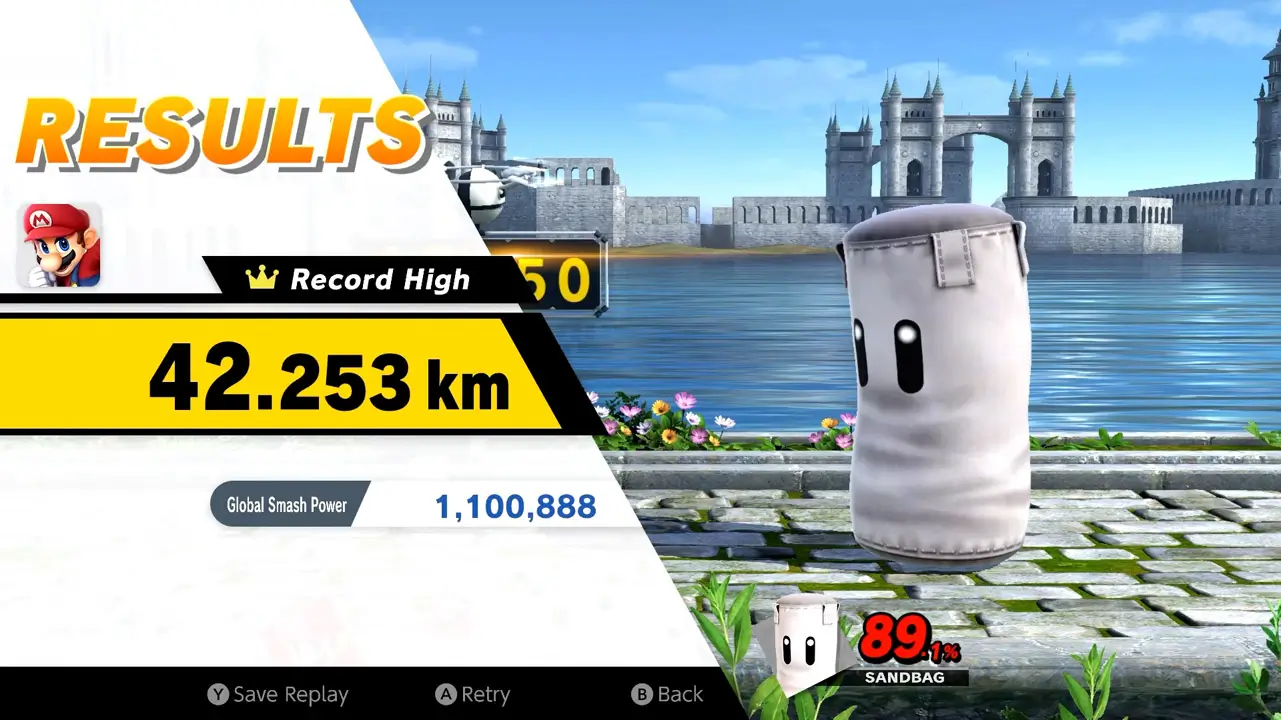
Then, use this helpful picture guide whenever you want to play Home-Run Contest again.
Enjoy smashing!
Helpful Super Smash Bros. Ultimate Tips You Should Know About
As a bonus, enjoy three of my personal Super Smash Bros. Ultimate tips-and-tricks that improved my play experience.
1) Play Classic Mode
Enjoy traditional Super Smash Bros. gameplay by selecting a character and then fighting against six opponents and a boss in an unique adventure mode.
Why You Should Play Classic Mode
Classic Mode is a stellar way to get accustomed to Super Smash Bros. gameplay. Fighting against a number of different characters on various stages can help players become more familiar and comfortable with the game’s unique fighting mechanics.
Learn how to access Classic Mode in Super Smash Bros. Ultimate with my picture guide How To Easily Access Classic Mode In Super Smash Bros. Ultimate and then have fun smashing!
2) Learn Super Smash Bros. Ultimate’s Controls
Learn how to play Super Smash Bros. Ultimate by understanding the game’s basic controls such as what button is used to attack, block, grab, and more.
Why You Should Learn Basic Controls
Being familiar with Super Smash Bros. Ultimate’s basic controls can help you improve over time. That’s because it’s easier to know what to do in a heated battle when you know what buttons to press and how to perform essential actions.
Read my detailed guide Learn Super Smash Bros. Ultimate’s Controls Right Now and then start smashing!
3) Adjust The Screen Brightness
Tailor the screen brightness of Super Smash Bros. Ultimate to match your personal taste, whether you’re engaging in epic battles on a TV or immersing yourself in handheld mode.
Why You Should Adjust Screen Brightness
By simply adjusting the brightness, you can create a more comfortable viewing experience for your eyes. So don’t let eye strain hinder your gaming enjoyment. Take a moment to customize the screen brightness based on your eye sensitivity before diving into an intense play session.
Learn how to change brightness settings in Super Smash Bros. Ultimate with my picture guide How To Easily Change Screen Brightness Settings In Super Smash Bros. Ultimate then start smashing!
How To Get Super Smash Bros. Ultimate
Looking to play or gift Super Smash Bros. Ultimate now that you know a bit more about the game? I’m here to help!
Firstly, Super Smash Bros. Ultimate is only available on Nintendo Switch since it’s made by Nintendo.
It’s tons of fun for all ages while providing a lot of replay value. The game is stuffed with things to do and unlock, alone or with family and friends.
Personally, I’ve played Super Smash Bros. Ultimate for nearly 300 hours, and I still have so much more to do and unlock.
Super Smash Bros. Ultimate is the perfect single and multiplayer game for all ages
I’ve had fun beating the game’s adventure mode and played countless matches against others online.
Furthermore, I’ve taken my Nintendo Switch to work and played Super Smash Bros. Ultimate with friends and coworkers for exciting in-person play sessions.
Playing Super Smash Bros. Ultimate has provided some of the most fun on the Nintendo Switch I have ever had.
And I really hope you, your family, friends, or gift recipient have just as much fun.
Please feel free to use my Amazon affiliate links to view Super Smash Bros. Ultimate availability on Amazon by clicking here or by using the links below.
Doing so helps me earn at no cost to you which supports the ongoing creation of awesome free game guides (just like this one).
Super Smash Bros. Ultimate Links
PHYSICAL: Super Smash Bros. Ultimate Nintendo Switch
DIGITAL: Super Smash Bros. Ultimate Nintendo Switch
DLC 1: Super Smash Bros. Ultimate Fighter Pass 1
DLC 2: Super Smash Bros. Ultimate Fighter Pass 2
LIMITED EDITION CONSOLE: Super Smash Bros. Ultimate + Nintendo Switch OLED Bundle
You can also visit Nintendo’s official Super Smash Bros. Ultimate’s website by clicking here.
I hope you enjoy Super Smash Bros. Ultimate for Nintendo Switch just as much as I have!
More Great Nintendo Tutorials To Enjoy!
I hope you enjoyed learning how to access Super Smash Bros. Ultimate’s Home-Run Contest in this helpful guide.
Bookmark TendoSource to never miss another Super Smash Bros. guide again.
Now, enjoy even more great Nintendo related articles on TendoSource.
Images credited. All others owned by Nintendo or respective owners. Screenshots taken by me.